Go Off-Grid With Powershare
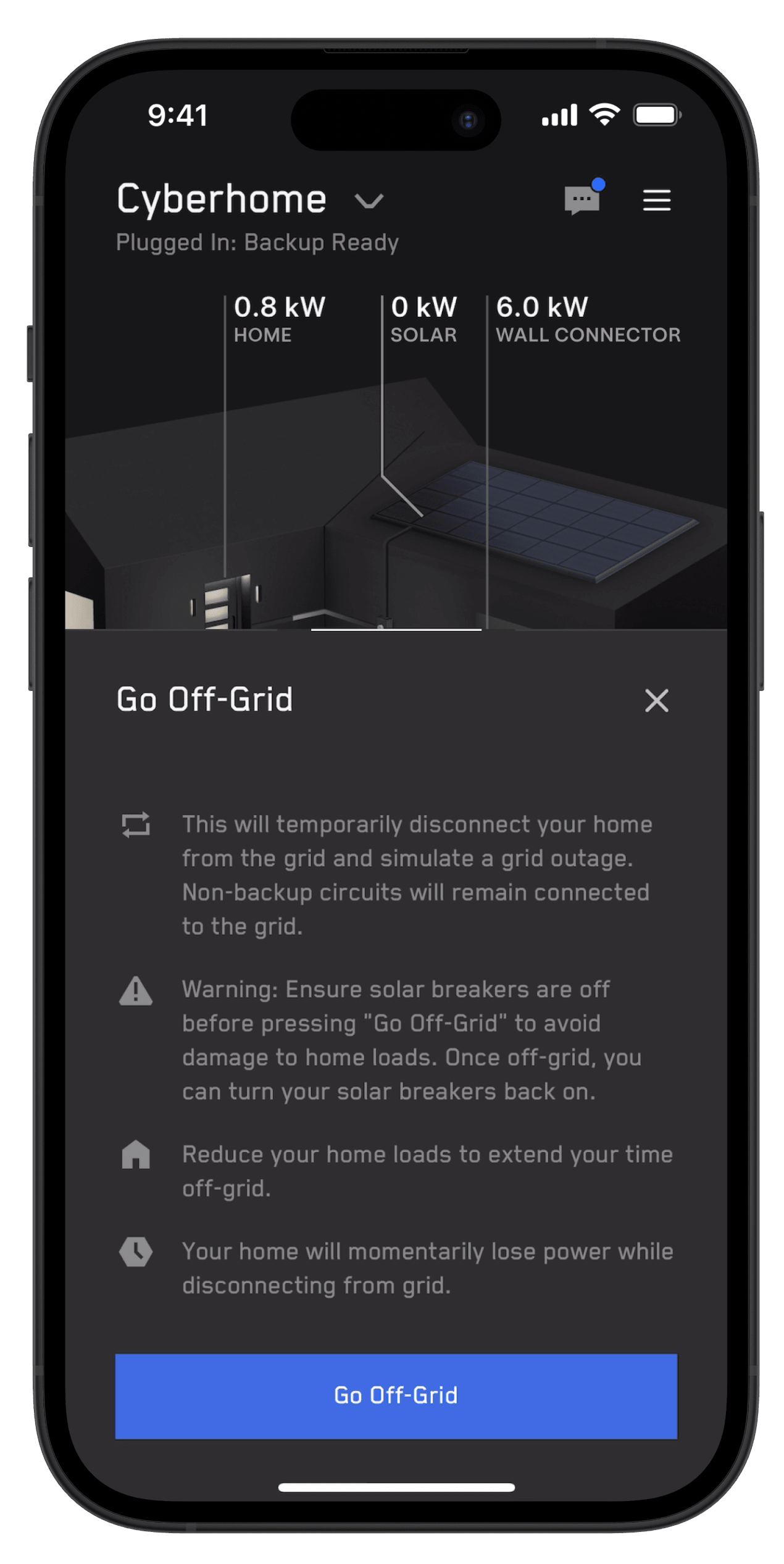
Go Off-Grid for your Powershare Home Backup system is a feature that simulates a power outage. With Powershare, Go Off-Grid provides you with the direct control to temporarily disconnect your home from the grid using the Tesla app.
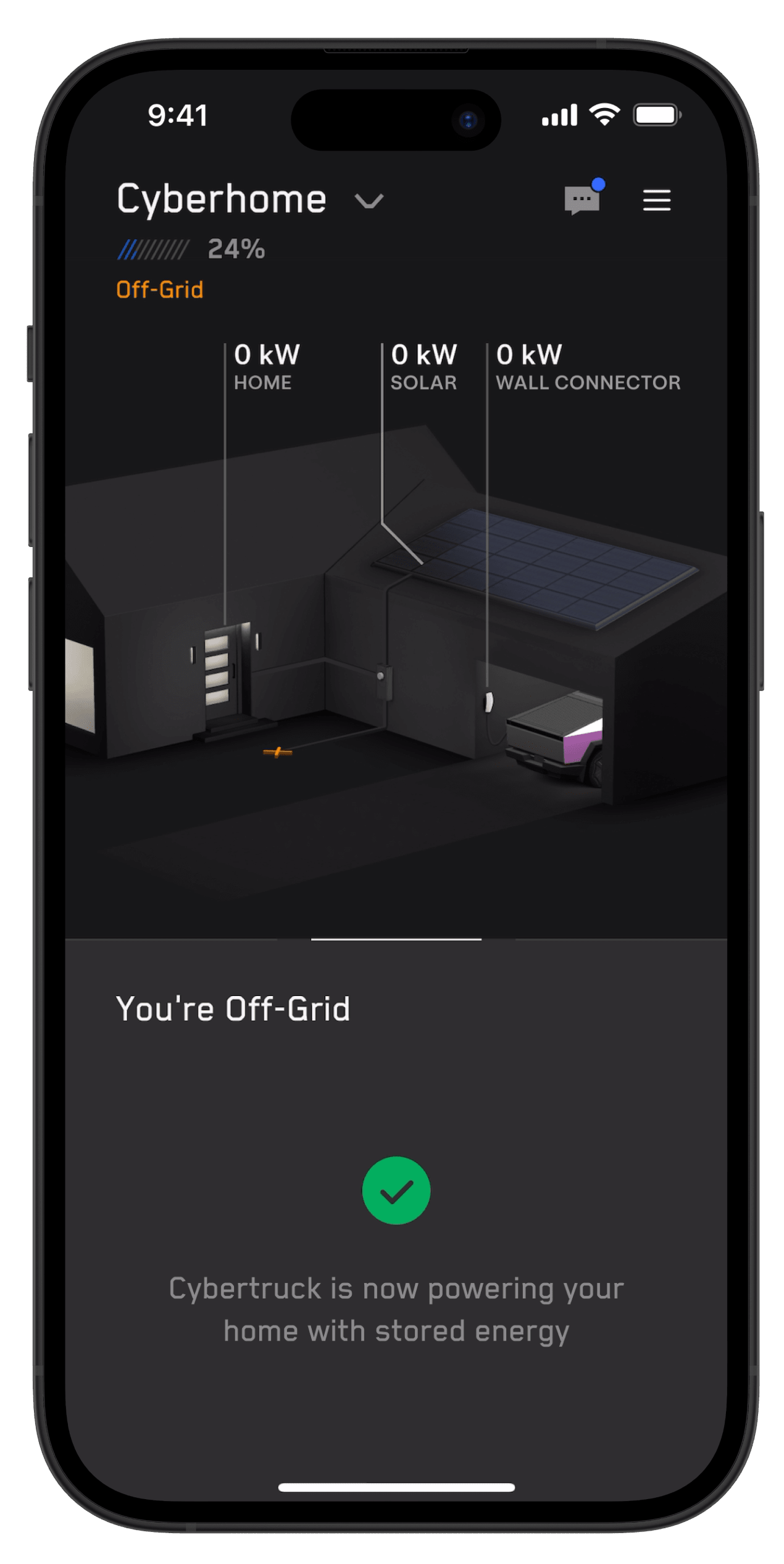
Powershare is Tesla's technology that enables your Tesla vehicle's battery to provide power whenever and wherever you need it. With the Powershare Home Backup system, your Tesla vehicle can share its stored energy to power your home.
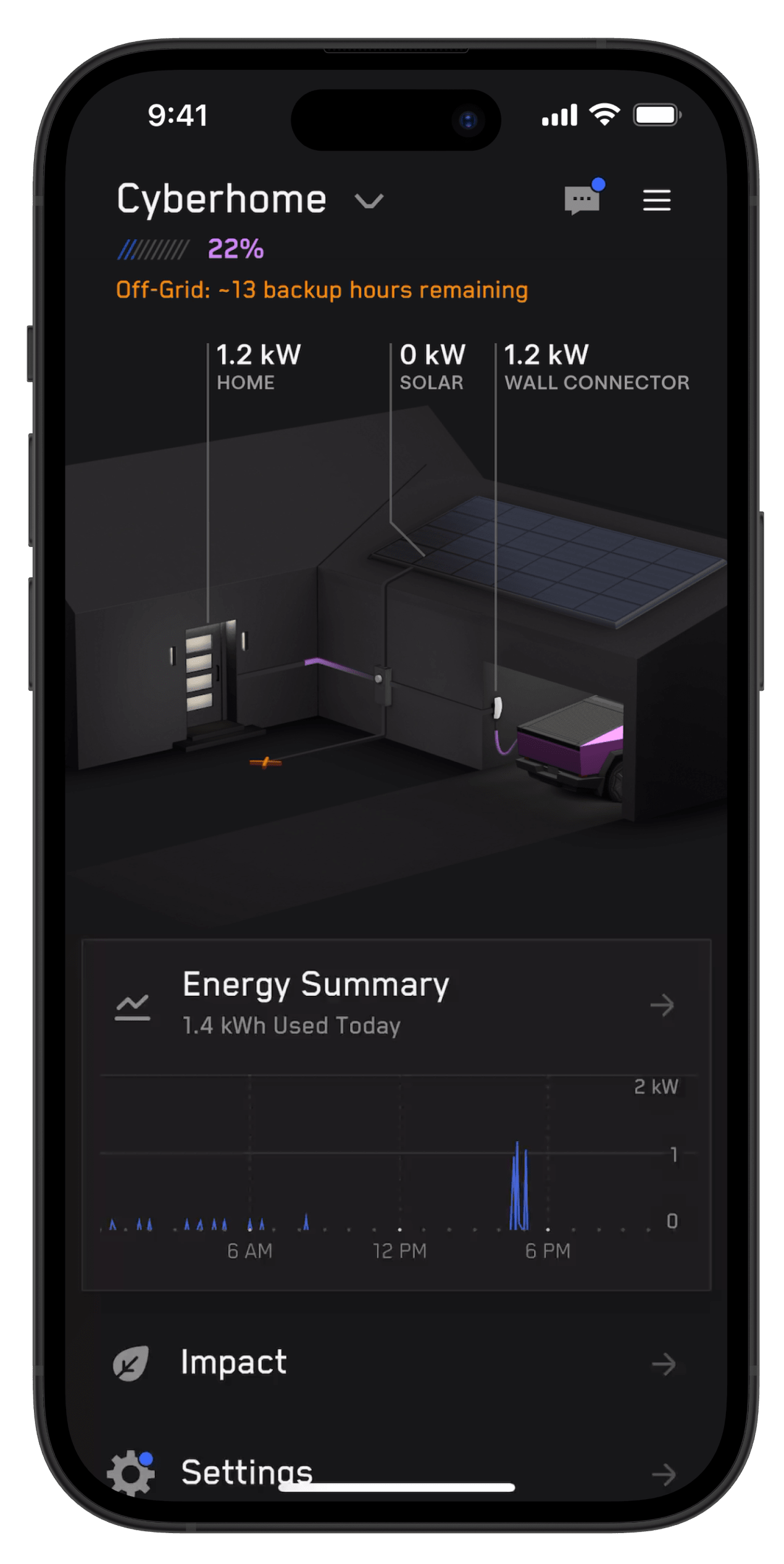
When you enable Go Off-Grid in the Tesla app, your Powershare Home Backup system disconnects your home from the grid. Once you take your home off grid, your Powershare Home Backup system uses any available solar power and energy from your vehicle’s battery to power your home.
Note: If you have solar in your backup circuit, you must ensure that you have turned your solar breakers off before tapping ‘Go Off-Grid,’ to avoid damaging your home loads. Once you’ve enabled Go Off-Grid, you can turn your solar breakers back on to power your home.
Before Enabling Go Off-Grid
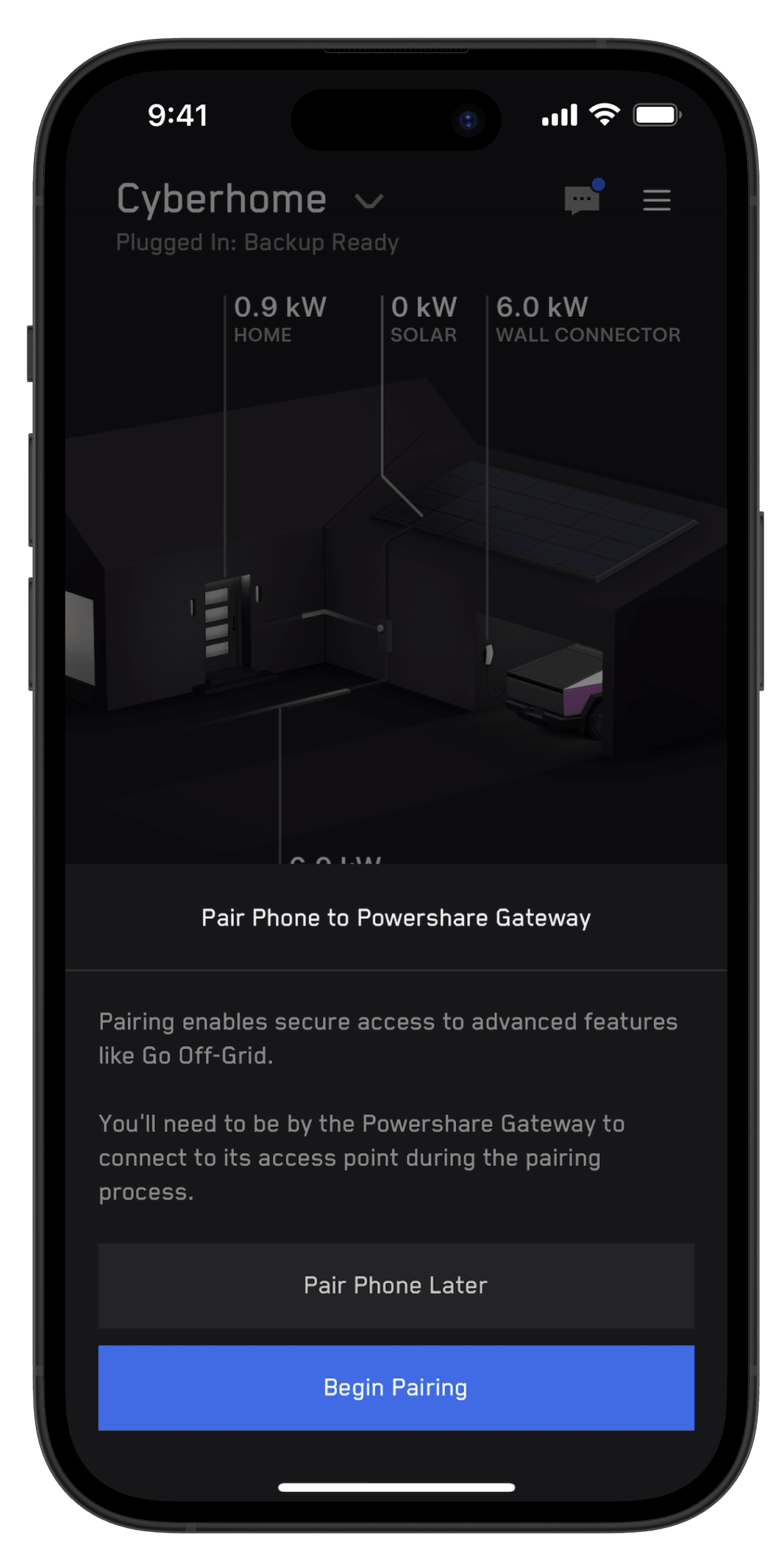
Before enabling Go Off-Grid, your mobile device must be paired with your Powershare Home Backup system.
Note: If multiple users are associated with your Powershare Home Backup system, each mobile device must be paired with your Powershare Home Backup system to use Go Off-Grid.
If your mobile device is not paired with your Powerwall or Powershare Gateway, open the Tesla app and complete the following steps:
- From the home screen, select ‘Go Off Grid > ‘Begin Pairing.’
- When prompted, scan the QR code on the dead front behind the door of the Powershare Gateway.
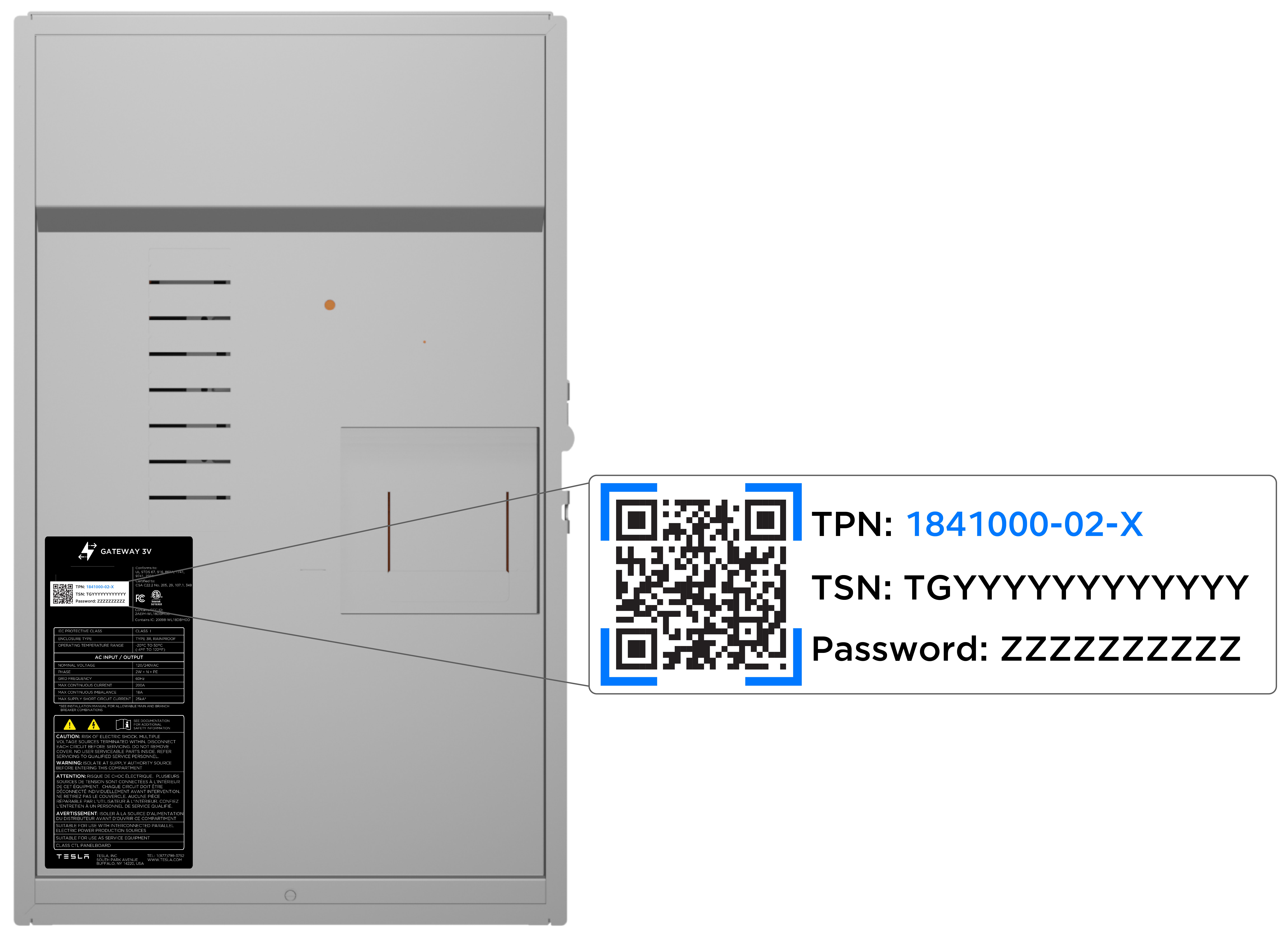
- If the QR code is not available on the dead front, you may need to remove the dead front to scan the QR code inside the Powershare Gateway enclosure.
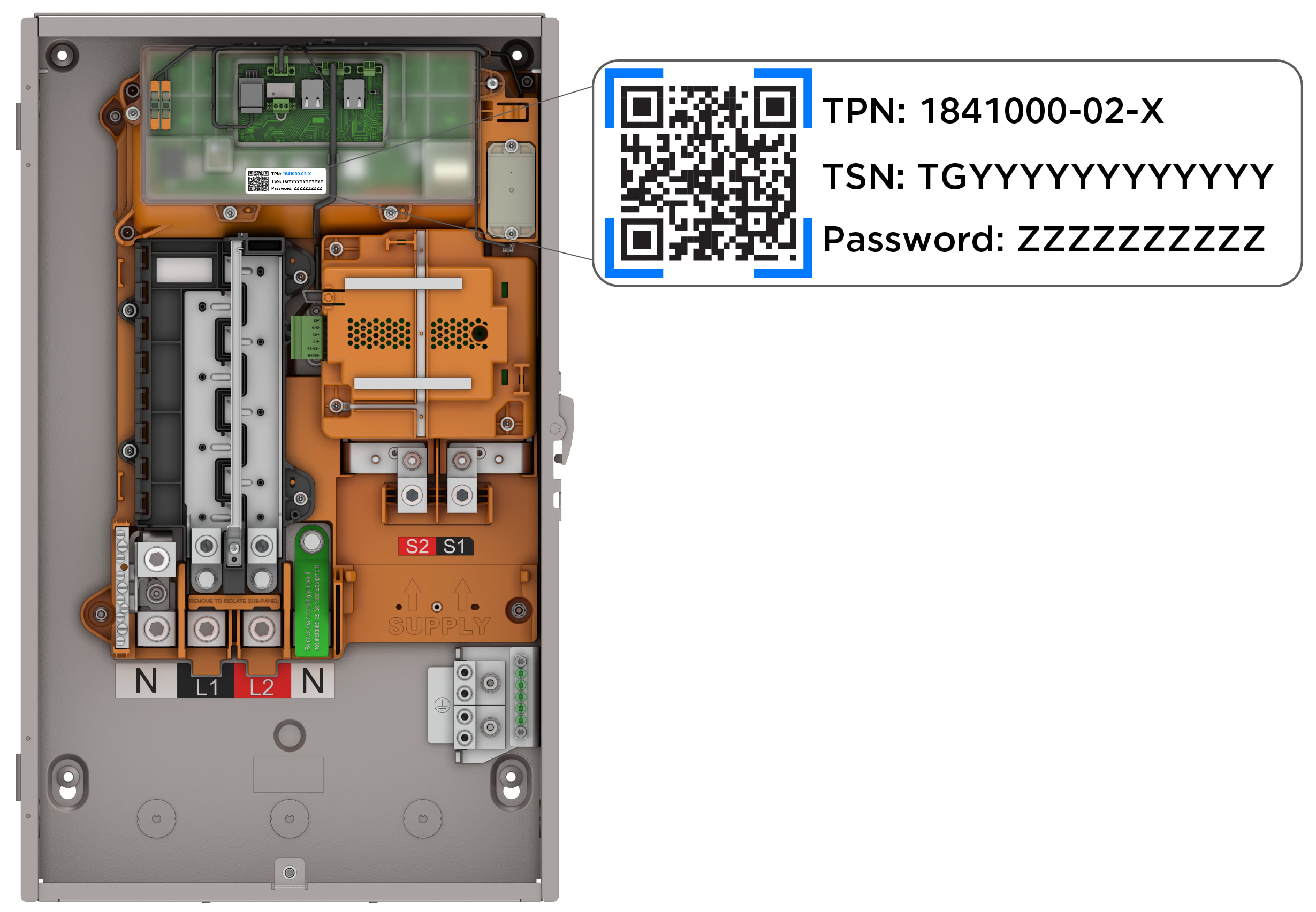
Note: Exposed wiring inside the Powershare Gateway can present a risk of electrical shock. Use caution if you need to remove the Powershare Gateway dead front and replace the dead front immediately after scanning the QR code to connect.
Enabling Go Off-Grid
Once your Powershare Home Backup system and mobile device are connected to the same network, you can Go Off-Grid.
On the energy home screen of the Tesla app, simply tap ‘Go Off-Grid.’

Note: Transition may take a few minutes. You will receive a notification once your system is off the grid.
Reconnecting to Grid
Your home will reconnect to the grid automatically once the following happens:
- You manually reconnect it in the app
- Your Tesla vehicle reaches its discharge limit
- The Powershare Home Backup system is no longer able to support your home’s energy needs while off-grid
To manually reconnect to the grid on the energy home screen of the Tesla app, tap ‘Reconnect to Grid.’
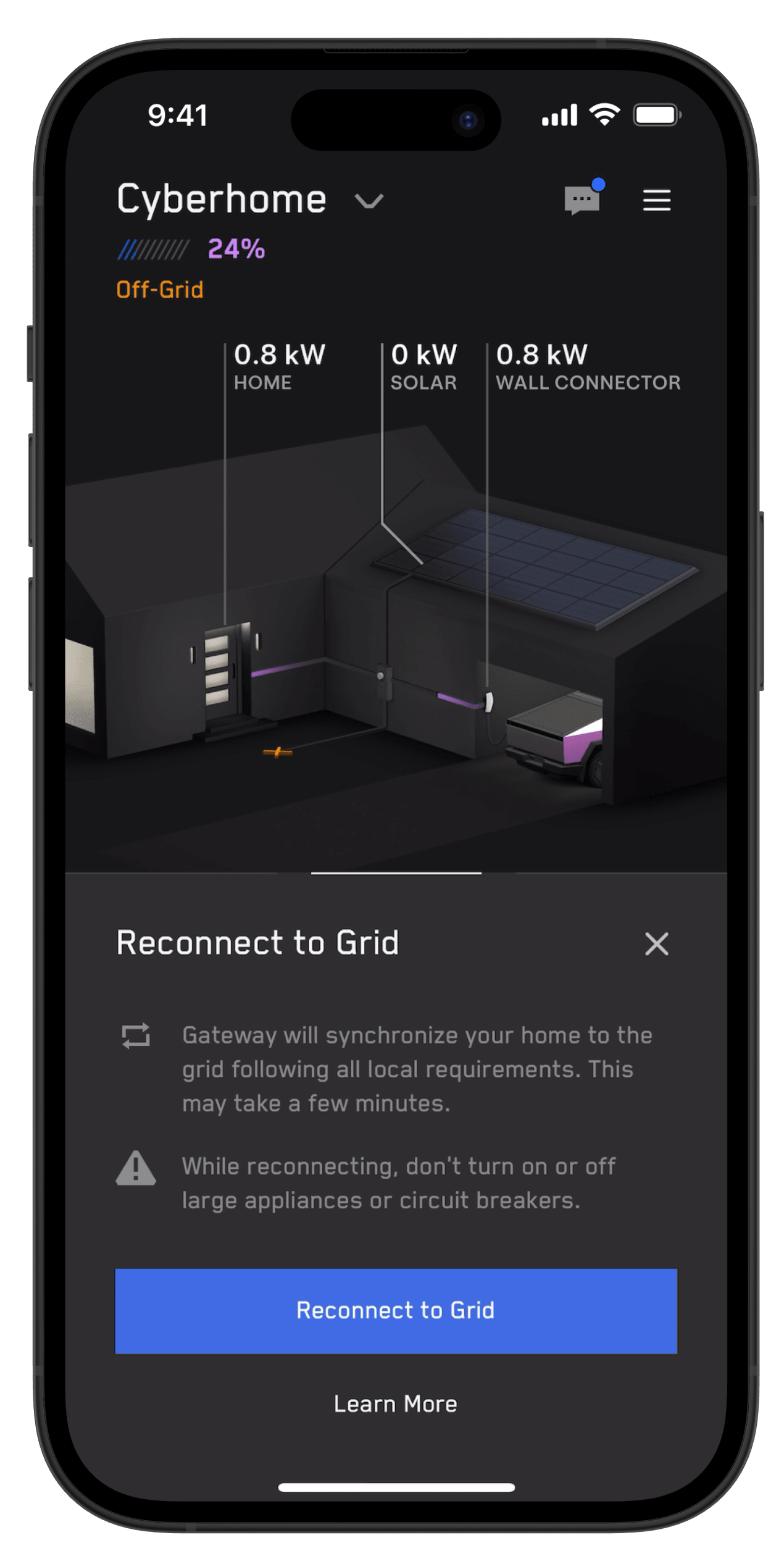
Note: Transition may take a few minutes. You will receive a notification once your system reconnects to the grid.