Advanced Settings
Powerwall has various Advanced Settings and capabilities that impact how the system exports and imports energy to and from the grid. These settings may have other effects with your utility. If these are not clear, confirm with your Certified Installer before adjusting Advanced Settings in the Tesla app.
Energy Exports
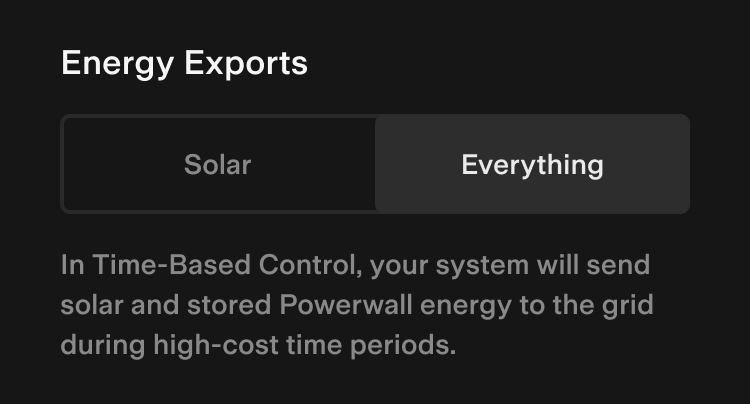
Some utilities allow Powerwall to send energy back to the grid and claim credits during peak times. If ‘Energy Exports’ is not available in the Tesla app, your utility does not allow Powerwall to export energy to the grid for any Time of Use purposes.
How It Works
If your Powerwall is allowed to send energy to the grid, the following energy export options will be available in the Tesla app:
| Energy Exports Option | Description |
|---|---|
| Solar1 | Powerwall will only export solar production to the grid during high-cost time periods. |
| Everything | Powerwall will export both solar production and stored Powerwall energy to the grid during high-cost time periods. |
When set to ‘Solar,’ your Powerwall will only use stored Powerwall energy to match your home load consumption when the price of energy is expensive. Use this setting if you want to earn credits while also keeping energy stored in your Powerwall to reduce reliance on the grid.
When set to ‘Everything,’ Powerwall will send both solar and Powerwall energy to the grid and will continue to discharge to your set Backup Reserve. Use this option if you want to maximize savings.
Grid Charging
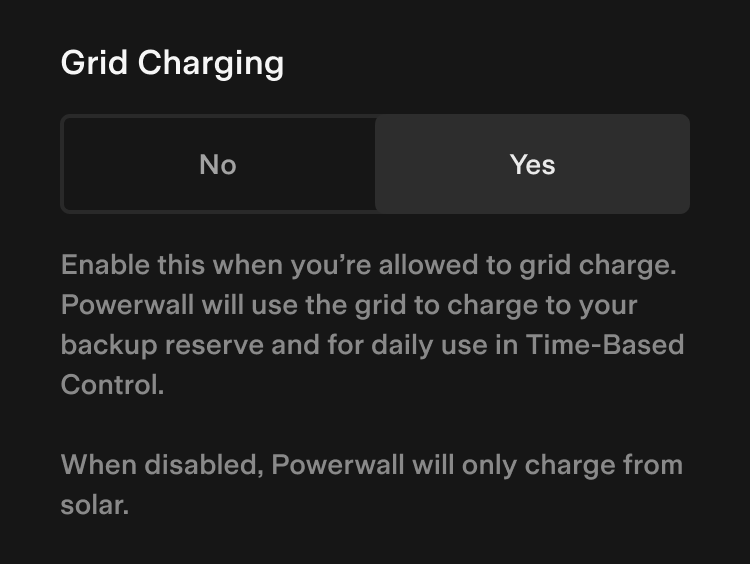
Powerwall can charge from the grid under certain conditions. Since the beginning of 2023, the availability of the Grid Charging setting in the Tesla app is set by your Certified Installer by default. If your Certified Installer changed the default setting during Powerwall commissioning, you will see a ‘Grid Charging Restricted’ message – this is most common when the utility prevents charging, or when the system is owned by a third party.
How It Works
When Powerwall can charge from the grid, the following options will be available in the Tesla app:
| Grid Charging Option | Description |
|---|---|
| No1 | Powerwall will not charge from the grid. |
| Yes | Powerwall will charge from the grid. |
When set to ‘No,’ Powerwall will only charge from solar. This will increase your Self-Powered performance and reduce your reliance on the grid.
When set to ‘Yes,’ Powerwall will only charge from the grid if there is insufficient solar available to maintain the Backup Reserve or if there is a financial benefit when in Time-Based Control mode. Consider your energy goals and consult your tax advisor regarding any tax-related impacts before enabling Grid Charging.
Note: Regardless of this setting, Powerwall can charge from the grid to preserve itself when it has low energy.
Preconditioning
When temperatures are low, all batteries have a reduced ability to charge. To help Powerwall counteract this, Powerwall uses Preconditioning. Preconditioning, in combination with Tesla’s unique liquid thermal management system, allows your Powerwall to operate at lower temperatures than any other home battery.
How It Works
When temperatures are below freezing, Preconditioning turns on and heats your Powerwall to improve operation and charging performance. To heat itself, Powerwall draws a small amount of energy, which then allows higher-power charging. During a cold night, your Powerwall automatically preheats before sunrise so that maximum solar energy can be captured during the day.
The following should be also considered when using Preconditioning:
- You cannot customize this mode because Powerwall is designed to detect its internal temperature and know when to enable Preconditioning.
- During Preconditioning, the Power Flow screen may show energy flowing to your Powerwall from solar or the grid. This is normal behavior, and the energy is only being used to heat, not to charge.
- During winter months, a small amount of your Powerwall capacity is reserved to improve performance in cold weather. This may change your visible total capacity in the Tesla app. Rest assured, your total capacity has not changed — this small reserve is just set aside to improve performance.
1 Default setting