Tesla Electric

Tesla is a retail electricity provider that brings Tesla’s unique expertise in energy markets to homes in Texas. Integrated with a seamless mobile app experience, Tesla Electric offers electricity plans designed for households to save on their electricity bill. Signing up is easy and takes less than five minutes in the Tesla app.
Tesla Electric is available to anyone in Texas who can choose their own electricity provider—you don’t have to own a Tesla product to be eligible.
Tesla Electric is designed to:
- Power your home with low-cost, 100% renewable energy
- Help manage your energy usage with a convenient mobile app experience
- Optimize the value of your Powerwall system and Tesla vehicle
For Customers with Powerwall
Currently, Tesla Electric offers the Dynamic plan and the Fixed plan for Powerwall customers.
Dynamic Plan
With more flexibility on your energy usage, the Tesla Electric Dynamic plan offers customers full control of their system with greater exposure to changes in sellback rates when discharging to the grid.
With a month-to-month rate and exposure to Real-Time Market Prices1 for my sellback, you can manage your own settings to sell when prices are high and maximize your payout.
Learn more about the Tesla Electric Dynamic plan.
Note: This plan is not eligible for Powershare Grid Support.
Fixed Plan
The Tesla Electric Fixed plan offers customers more certainty in their electricity bills, while rewarding them for participating in the Tesla Virtual Power Plant (VPP).
With a fixed rate for imports and exports for a year, Tesla can handle the settings for you. The Fixed plan provides more certainty in credits from Tesla even when Real-Time Market Prices1 are low.
Additionally, you can support the grid and get paid with your Powerwall.
Learn more about the Tesla Electric Fixed plan.
Note: This plan is not eligible for Powershare Grid Support.
For Customers With Tesla Vehicles
Drive Plan
Tesla Electric Drive plan offers peace of mind to customers with reduced home charging costs for their Tesla vehicles.
You can simplify your charging decision and reduce the cost of ownership.
Learn more about the Tesla Electric Drive plan.
Note: This plan is eligible for Powershare Grid Support.
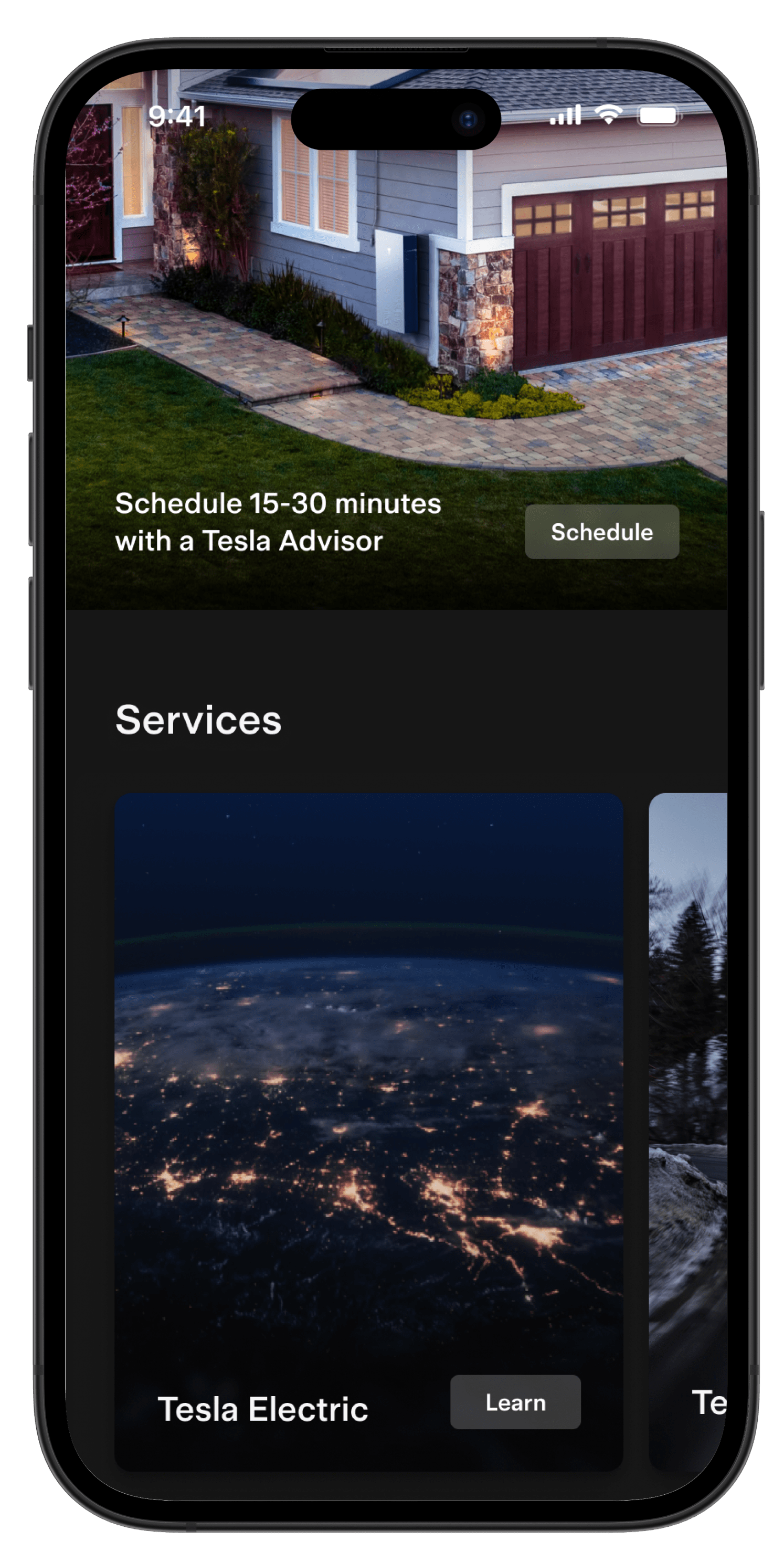
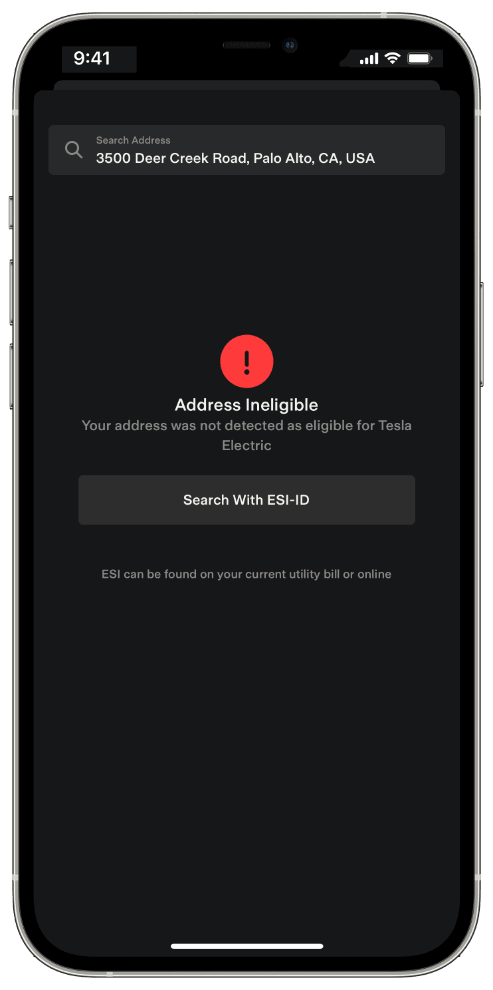
You can sign up for Tesla Electric through the Tesla app. To get started, tap the menu in the top-right corner of the Tesla app. Select the ‘Discover’ tab and locate the Tesla Electric card under ‘Services.’ Once you tap the card, you will see a general overview of Tesla Electric and will be able to sign up. Start by entering your address.
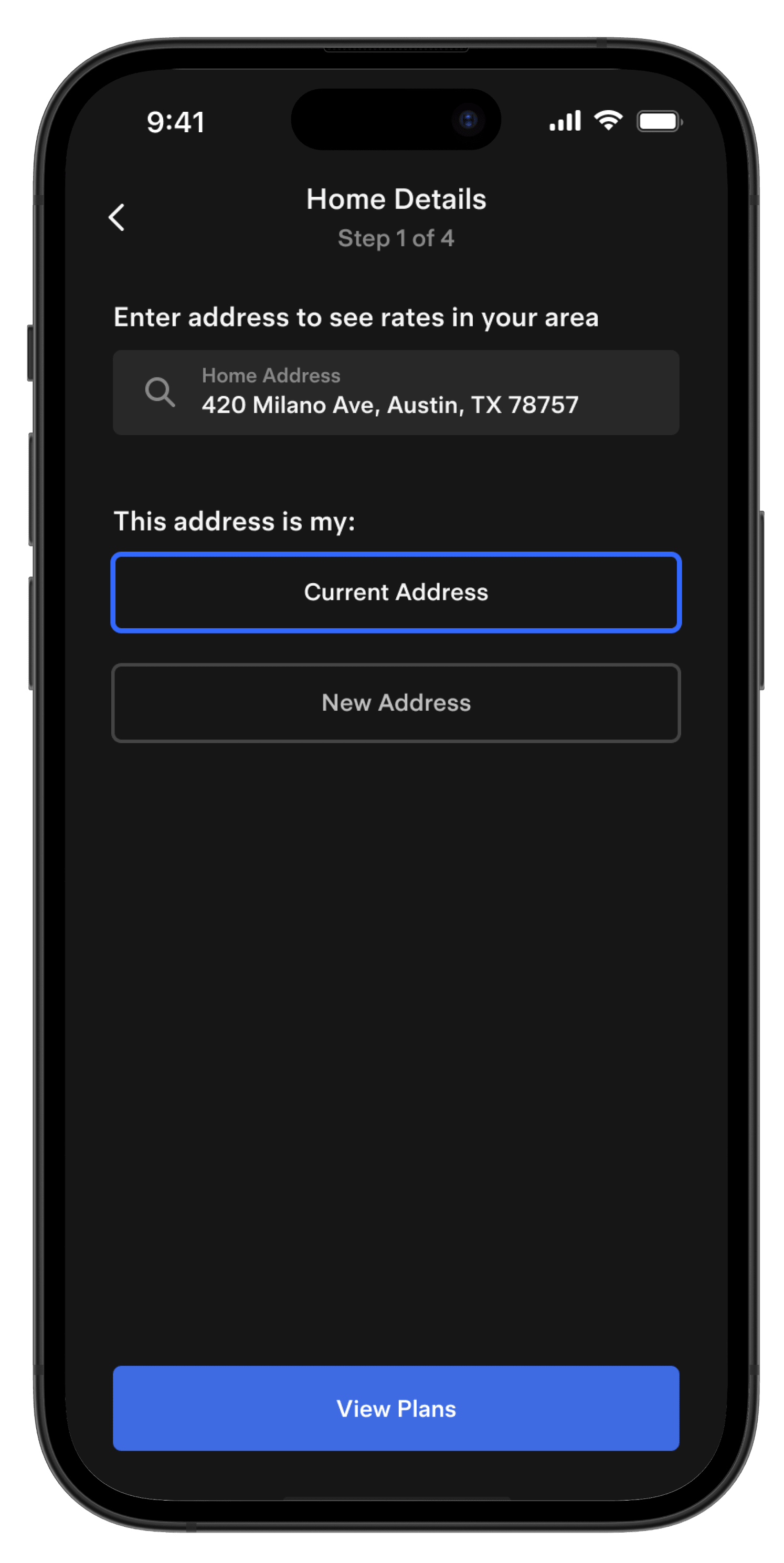
Select the New Address option if you are moving to this address, or your previous electricity provider sent a scheduled move-out. If you are eligible, you can complete your sign-up by following these steps:
- Select your Tesla Electric plan. This is where you can see the latest rates for Tesla Electric.
- If you own a Tesla vehicle, you can opt in for unlimited home charging.
- Set up your payment details to enable autopay. We ask for your bank details so we can pay you back for the energy you export to the grid.
- Enter your preferred day to start your Tesla Electric service.
- Review your plan and submit your enrollment application.
- You will receive an email confirmation once your sign-up is complete. You can expect to see your Tesla Electric service activated within a few hours (if you signed up during the week) or a couple days (if you signed up during the weekend).
Note: You do not need a Tesla vehicle or Powerwall to sign up for Tesla Electric.
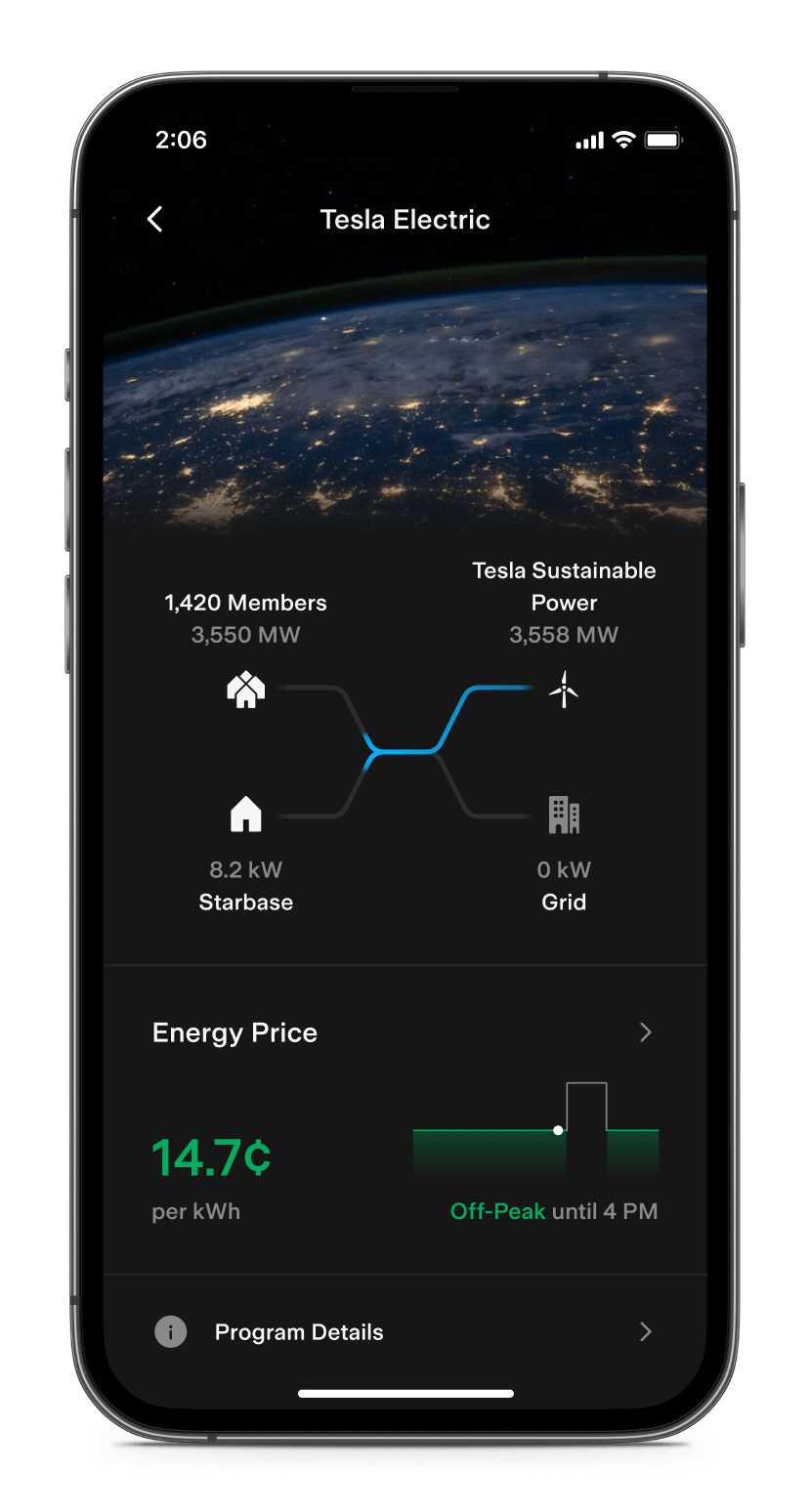
Once enrolled in Tesla Electric, you can view how energy flows to and from your home in real time. The Tesla app displays a power flow screen showing how your home consumes or produces energy, and how it is matched with other members, Tesla’s sustainable energy sources and the grid. You can power your home with Tesla’s sustainable sources or with energy exported by other members when your own solar panels or Powerwalls are not providing enough power.
The direction of the power flows indicates the sources of energy your home is matched with. For example, if you see power flowing from Tesla’s sustainable sources into your home, your consumption is matched with sustainable energy.
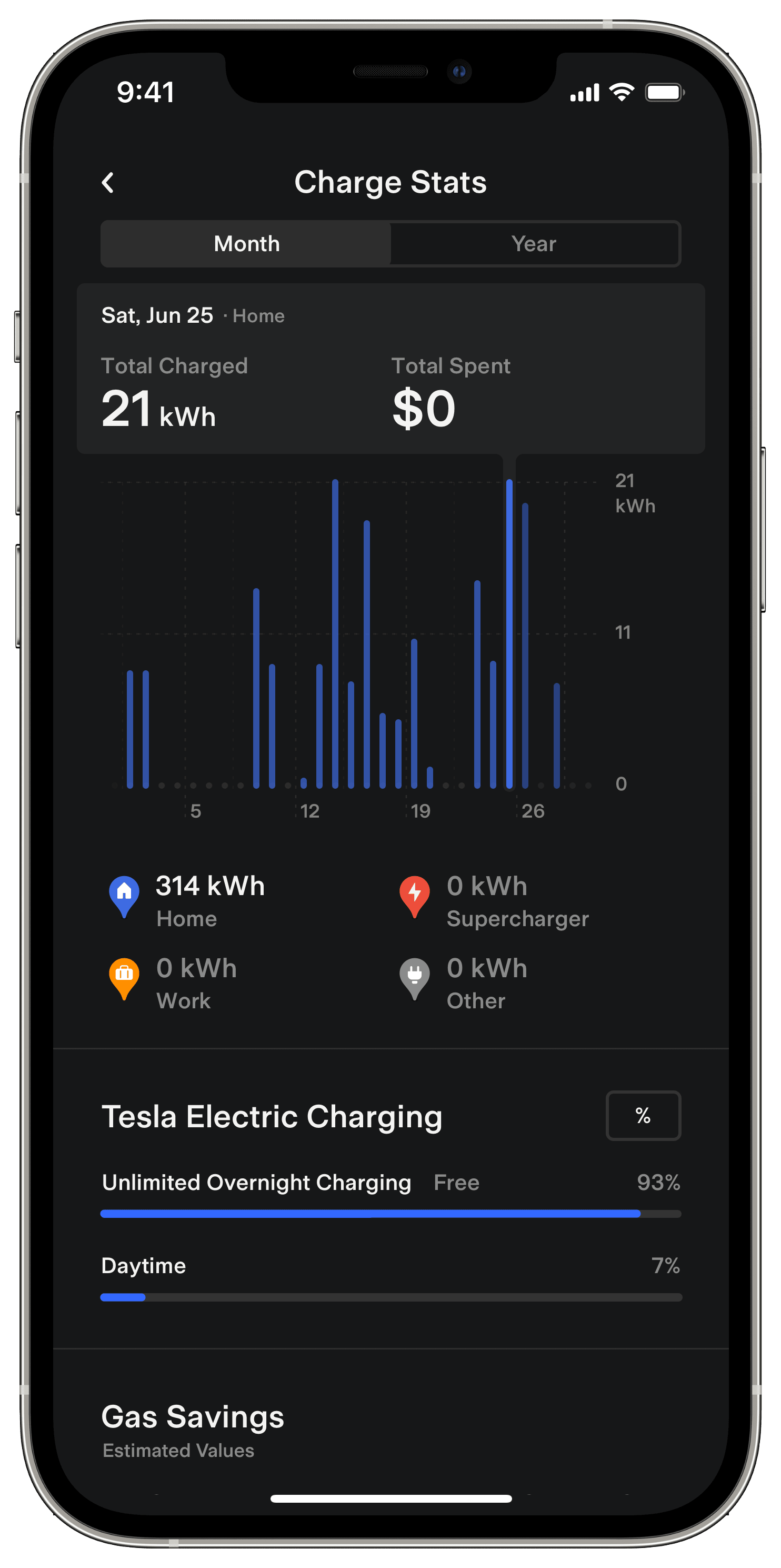
If you have a Tesla vehicle enrolled into Tesla Electric, you can also monitor how much your vehicle has charged overnight through the ‘Charge Stats’ card in the Tesla app.
You can manage your Tesla Electric bills by signing in to the Tesla app and tapping ‘Billing’ on the Tesla Electric home screen. You can adjust your autopay settings, make a one-time payment and view your statements or payment history. Learn more about how your monthly bill is calculated.
Your Tesla Electric bill will reflect the following:
- Tesla Electric charges: Energy used to power your home
- Tesla Electric sellback credits: Energy sold back to the grid
- Tesla Electric Home Charging: Energy used to charge your vehicle during eligible hours
- Tesla VPP: Credit earned through participation in Tesla VPP
- TDSP charges: Transmission and Delivery (TDSP) fees
- Taxes
- Excess sellback credit rollover: Remaining balance of credits, if total earned credits exceed total electricity costs and taxes
1 This is the Real-Time Market Settlement Point Price (SPP) as determined by ERCOT on a 15-minute interval basis for the load-zone nearest the Utility Meter.
Tesla Energy Ventures, LLC REP #10296